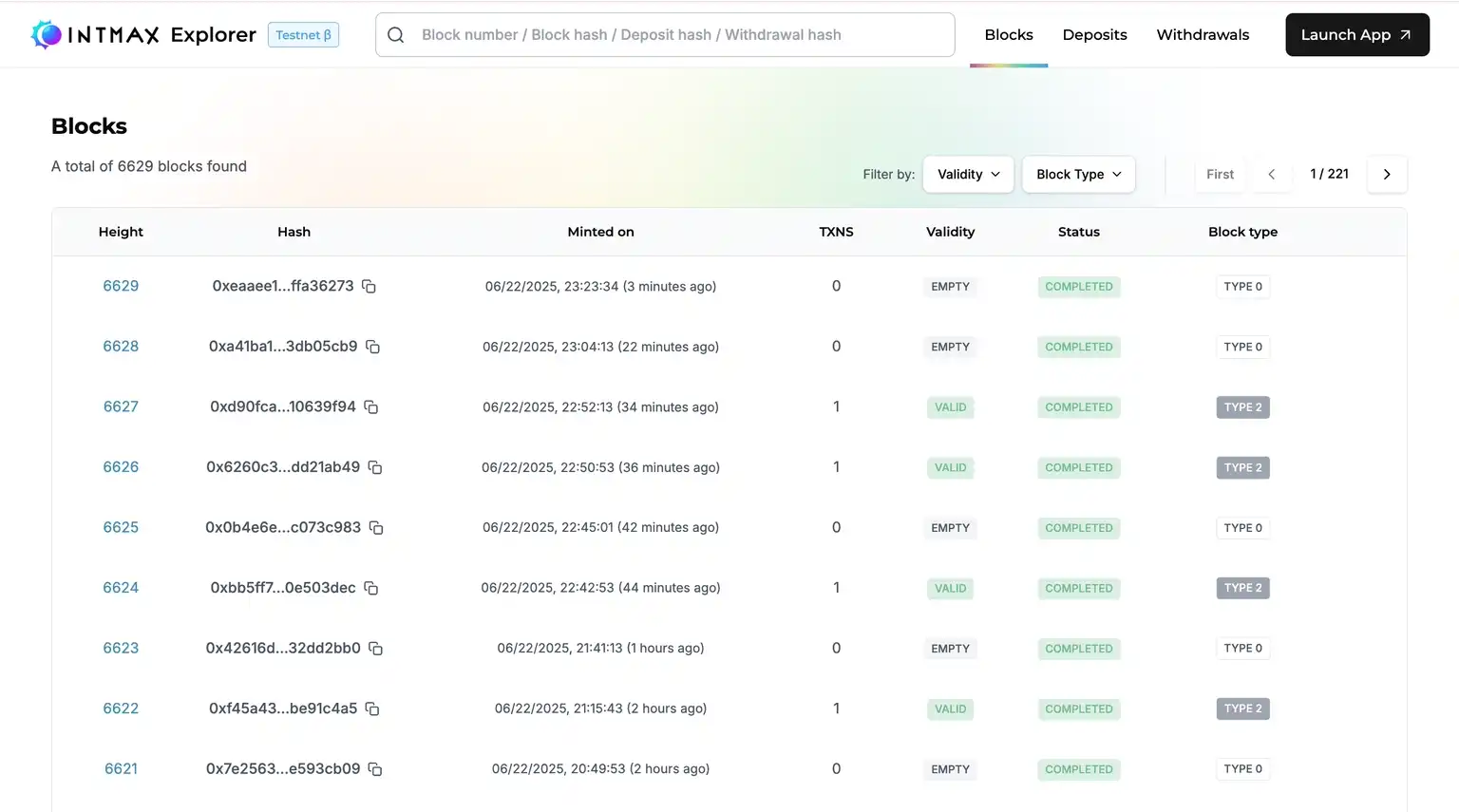
# Blocks
#### Validity
* **Valid:** Indicates that the block contents have been verified and deemed correct according to protocol rules.
* **Invalid:** Indicates that the block contents violate protocol rules and are therefore rejected. All transactions within this block are considered invalid and will be dropped.
* **Empty:** Indicates that the block contains no transactions.
#### Status
* **Proving:** The block has been submitted successfully and is currently undergoing verification to confirm its correctness.
* **Completed:** The block’s validity has been determined. If valid, it will be labeled as Valid under the “Validity” field; if not, it will be marked as Invalid.
#### Block type
* **Type 0:** A block containing no user transactions. These blocks are typically executed to reflect deposit actions automatically.
* **Type 1:** A block that includes the first-ever transaction from a sender's address. This special block type is used for a sender’s initial on-chain activity.
* **Type 2:** A block that includes a subsequent transaction from a sender's address (i.e., not their first). Compared to Type 1, transactions in a Type 2 block are executed with lower fees, making repeated transactions more cost-efficient.
#### Blocks List
Displays a real-time paginated list of blocks, including:
* Height (block number)
* Hash
* Timestamp
* Number of transactions
* Validity
* Status
* Block type
Filtering options are available by status and block type
#### Block Details
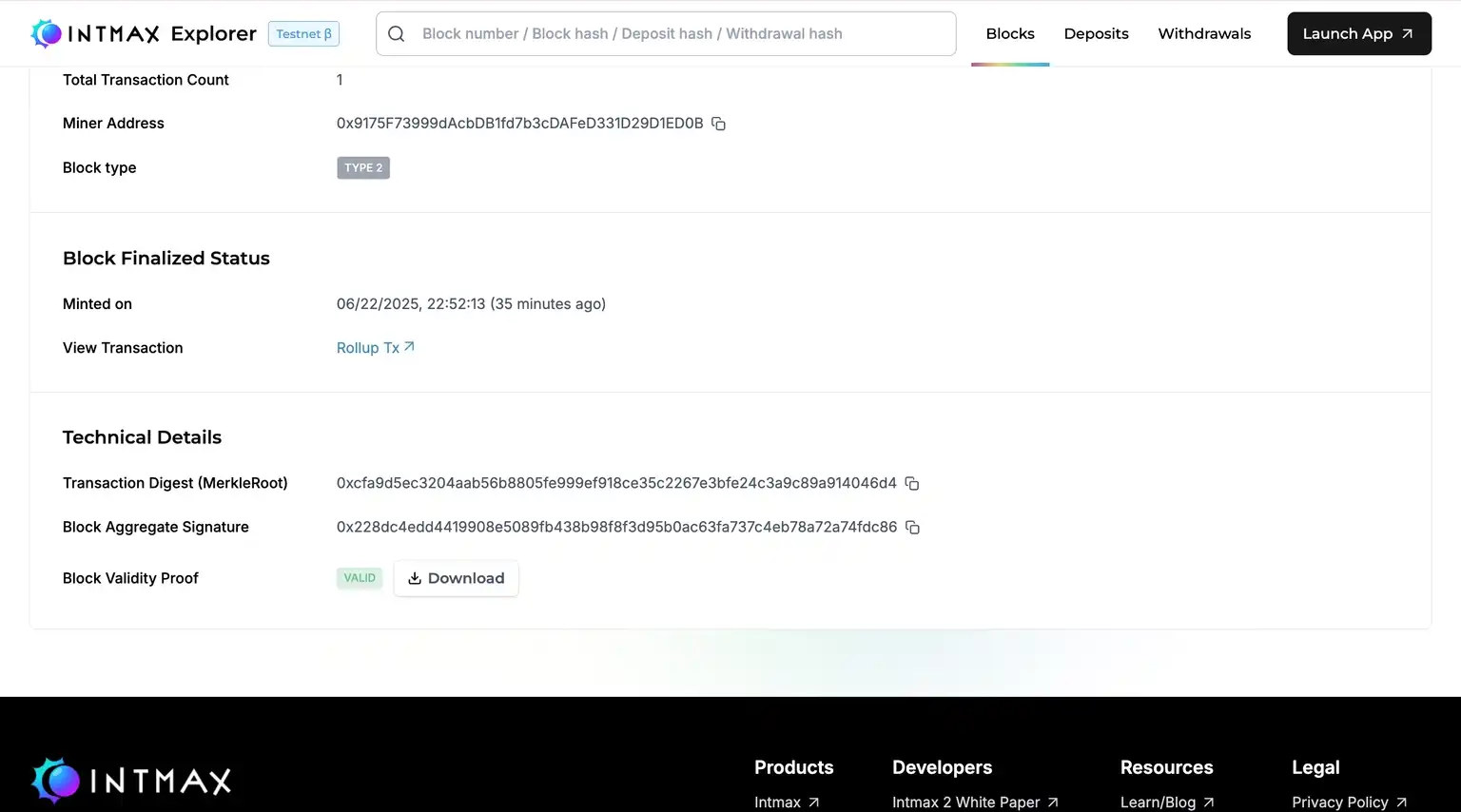
Provides detailed block-level information such as:
* Status and timestamp
* Block producer’s address
* Block validity proof (ZKP)
This helps users and Block Builders confirm whether a specific block was posted successfully.
---
# Agent Instructions: Querying This Documentation
If you need additional information that is not directly available in this page, you can query the documentation dynamically by asking a question.
Perform an HTTP GET request on the current page URL with the `ask` query parameter:
```
GET https://intmax-general.gitbook.io/intmax-privacy-mining/developer-tools-and-analytics/intmax-explorer/blocks.md?ask=
```
The question should be specific, self-contained, and written in natural language.
The response will contain a direct answer to the question and relevant excerpts and sources from the documentation.
Use this mechanism when the answer is not explicitly present in the current page, you need clarification or additional context, or you want to retrieve related documentation sections.