# Deposits
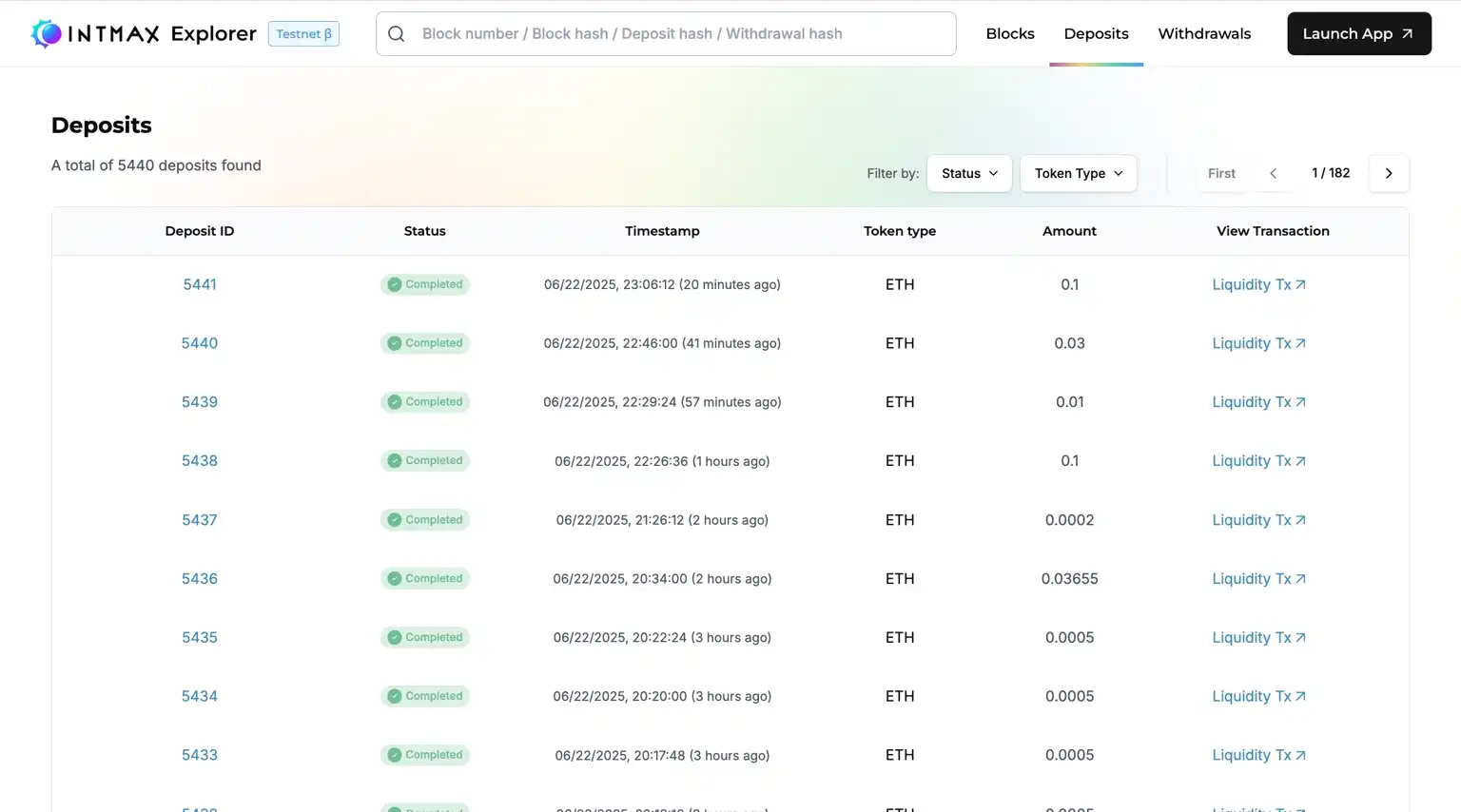
#### Status
* **Relayed:** The request has been sent on-chain but is still being processed.
* **Rejected:** The deposit was rejected.
* **Completed:** The request has been successfully reflected. You can use the deposited funds on INTMAX network.
#### Deposits List
Shows all deposit transactions, with columns including:
* Deposit ID
* Status
* Timestamp
* Token Type
* Amount
* TxHash
Users can filter by status or date to monitor deposit history effectively.
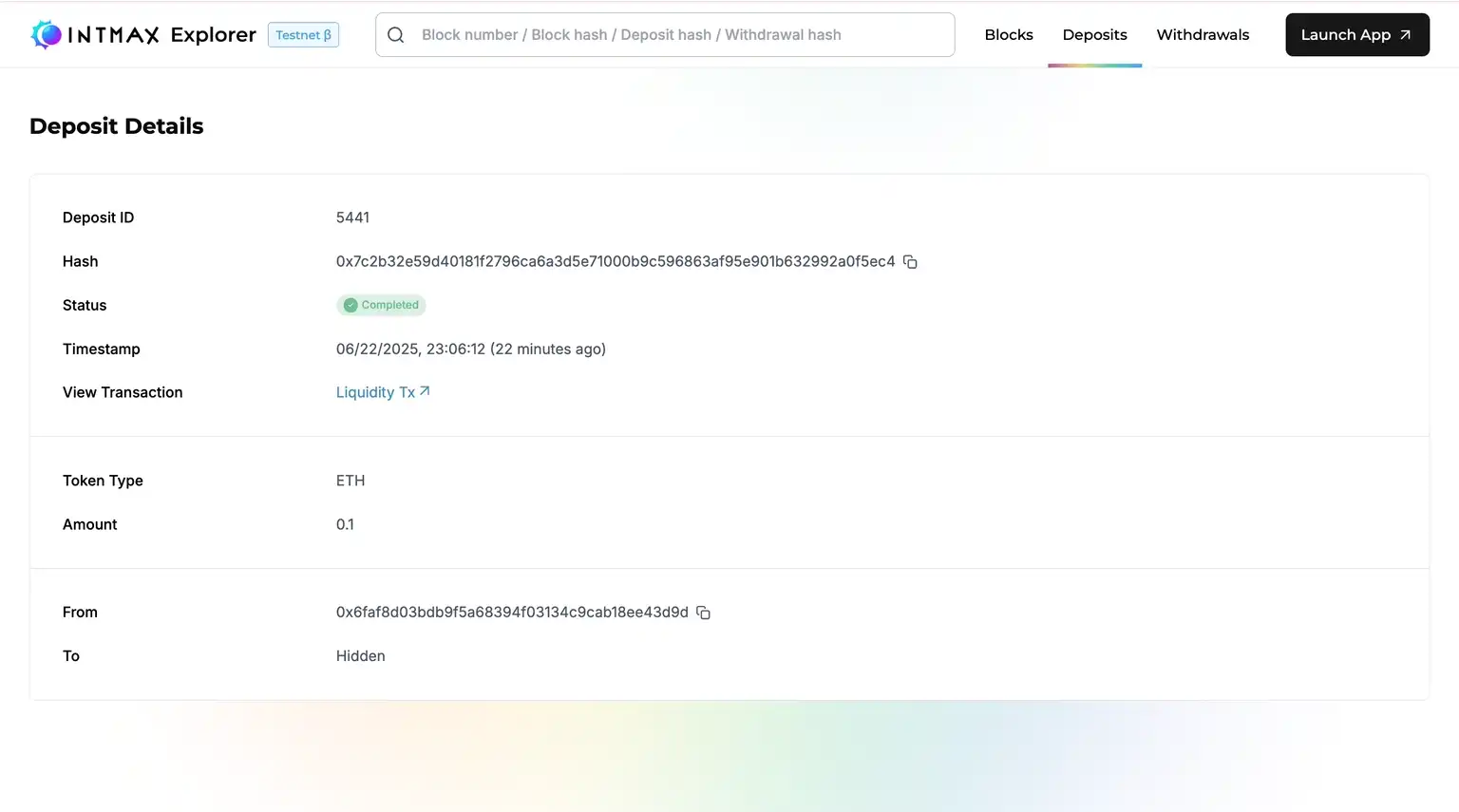
#### Deposit Details
Detailed view for a specific deposit, showing:
* Status and timestamp
* Linked L1 transaction hash
Filtering options help users track their deposit flows.
---
# Agent Instructions: Querying This Documentation
If you need additional information that is not directly available in this page, you can query the documentation dynamically by asking a question.
Perform an HTTP GET request on the current page URL with the `ask` query parameter:
```
GET https://intmax-general.gitbook.io/intmax-privacy-mining/developer-tools-and-analytics/intmax-explorer/deposits.md?ask=
```
The question should be specific, self-contained, and written in natural language.
The response will contain a direct answer to the question and relevant excerpts and sources from the documentation.
Use this mechanism when the answer is not explicitly present in the current page, you need clarification or additional context, or you want to retrieve related documentation sections.